Guides
What a Manufacturing Website Needs: A 12-Point Checklist
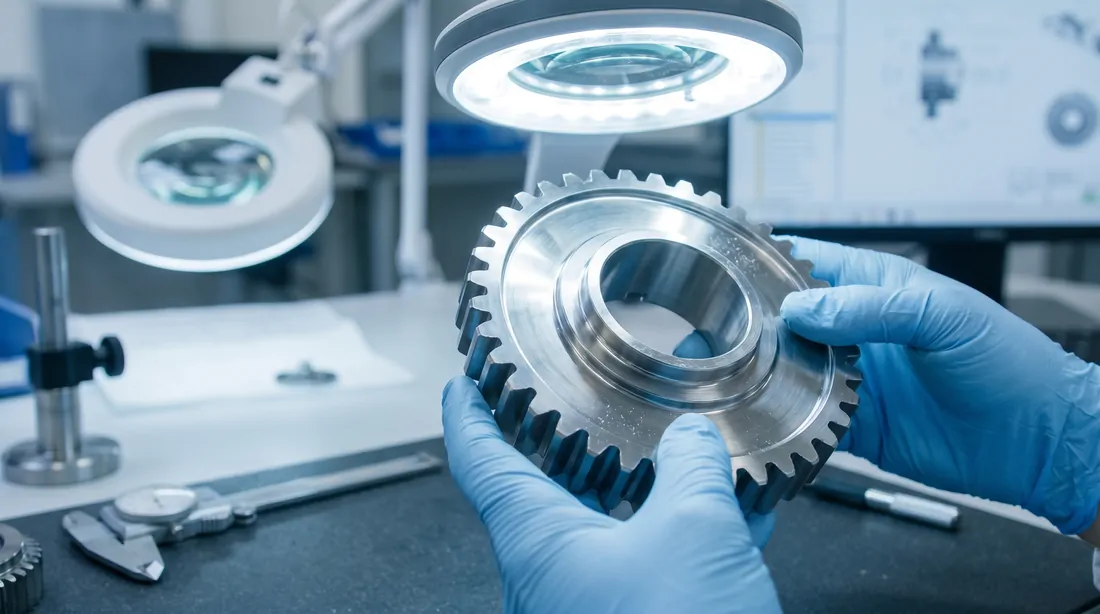
Industrial buyers do not browse the way consumers do. An engineer landing on your site is checking whether you can hold a tolerance. A procurement manager is checking whether you are a real supplier with the certs to pass an audit. Both of them leave fast if the answers are not there. Below is what a manufacturing website needs, in the order it tends to matter.
The 12-point checklist
1. Clear capabilities pages, broken out by process
One page that says "we do machining, fabrication, and assembly" tells a buyer nothing. Give each process its own page. A CNC machining page should state your axis count, envelope sizes, and the work you actually take on. Say it plainly: "5-axis milling up to 40 by 20 by 25 inches, plus 7 turning centers." Engineers search for the specific process, and a dedicated page is what ranks and what answers them.
2. An equipment and machine list
List your machines by make, model, and capacity. A buyer with a job to place wants to know if the part fits your table and if you have the spindle count to hit their volume. A real list ("two Mazak Integrex i-200, three Haas VF-4, one Trumpf 3kW fiber laser") signals capacity and saves a sales call. It also tells a quality auditor you keep your floor documented.
3. Materials and tolerances you actually run
Spell out the material grades you stock and the tolerances you hold day to day. "6061 and 7075 aluminum, 304 and 316 stainless, titanium 6Al-4V" beats "we machine metals." If you routinely hold plus or minus 0.0005 inch, say so. Buyers self-qualify on this. The ones whose specs you can meet will reach out, and the ones you cannot help will not waste your estimator's time.
4. Certifications and quality systems, front and center
If you are ISO 9001, AS9100, IATF 16949, or ITAR registered, put it where it is visible and give it a real page. Include the registrar, the cert number, and the scope. Aerospace and defense buyers cannot place work with a shop that lacks the right registration, full stop. A scanned certificate and an expiration date answer the first question on every supplier qualification form.
5. Spec sheets and datasheets as on-page HTML
Buyers want specs they can read on a phone and that show up in search. A PDF buried behind a download does neither. Put the key data in an HTML table on the page: dimensions, ratings, materials, part numbers. Keep the PDF as a download for the ones who want to file it, but the page itself should carry the numbers. Google indexes text, not the inside of your PDFs.
6. Real project examples with numbers
Case studies carry weight when they carry detail. Skip the vague "we helped a client improve efficiency." Write what the part was, the material, the tolerance, the volume, and the result: "machined 12,000 stainless housings a year, cut scrap from 4 percent to under 1, held lead time at three weeks." Numbers are what a procurement manager forwards to their boss.
7. An RFQ form built for how buyers actually quote
Make the quote request easy and let people attach a drawing. A buyer often has a STEP file or a PDF print in hand and wants to send it without a phone call. Your form should take file uploads, ask for quantity and target date, and confirm receipt. Every extra required field you add is another reason for a busy engineer to close the tab.
8. Fast performance on mobile
Plant managers and buyers check sites from the floor, from a truck, and between meetings on a phone. A page that takes eight seconds to load loses them before your capabilities ever render. Compress the images, keep the code light, and test on an actual phone over cell data. Speed is also a ranking factor, so a slow site costs you twice.
9. Search that handles catalogs and part numbers
If you sell from a catalog or carry a parts list, your site needs search that finds a part by number. A buyer who knows they want fitting 3/8-NPT-316 should type it and land on the page. Search across descriptions, specs, and part numbers, and let people filter by material, size, or category. A catalog without working search is a binder nobody can open.
10. Trust signals a buyer recognizes
Years in business, customers you serve, industry memberships, and the standards you build to all tell a new buyer you are established. A defense contractor wants to see a CAGE code and registrations. A logo wall of recognizable customers, where you are allowed to show it, does more than a paragraph of adjectives. Put these where a first-time visitor sees them.
11. Clear contact and location information
Show your address, phone number, and hours on every page, not hidden on a single contact tab. Domestic buyers often want a domestic shop, and your physical location answers that in one glance. Name the people who handle quotes if you can. A real address and a real phone number tell a buyer you are a fixed business they can audit and visit.
12. Content that answers buyer questions
Engineers research before they ever fill out a form. A resources section that explains your tolerances, your finishing options, your DFM guidance, or how to prepare a drawing for quote pulls in the buyers who are still deciding. An FAQ that handles lead times, minimum order quantities, and file formats removes the small friction that stalls a deal.
Where to start
You do not have to build all twelve at once. Start with the three that lose you the most work: capabilities pages, certifications, and an RFQ form that takes a drawing. Those answer the questions a buyer asks first. The rest fill in as you go.
Most off-the-shelf templates were built for restaurants and salons, which is why so many shop sites bury the specs and skip the quote form. Exhibit Domain builds these twelve in as standard, because a site for a machine shop has a different job than a site for a coffee shop.
Walk your own site as if you were the buyer. Try to find your tolerances, your certs, and the quote form in under a minute. If you cannot, your customers cannot either, and that is the place to begin.
Frequently asked questions
What is the most important thing a manufacturing website needs?
A clear path to a request for quote, backed by the technical specifics buyers screen on. If an engineer can confirm your processes, materials, tolerances, and certifications and then request a quote from the relevant page, the site is doing its core job. Start with capabilities pages, visible certifications, and an RFQ form that accepts a drawing, since those answer the questions a buyer asks first.
How many pages should a manufacturing website have?
Enough to give each capability its own page rather than crowding them together, which for a typical shop usually means somewhere between five and fifteen pages. A solid core covers capabilities, an equipment list, materials and tolerances, quality and certifications, industries served, and contact. Add a dedicated page for each major process, since engineers search for processes by name.
Do I need to list certifications on my website?
Yes. Certifications like ISO 9001, AS9100, IATF 16949, and ITAR registration are screening criteria for many buyers, and a missing or hard-to-find certification can disqualify you before a conversation starts. Give them a visible, dedicated quality page with the registrar, certificate number, and scope, rather than hiding them in the footer.
Want a site that does this out of the box?
We build it in as standard, from $99/mo. No contracts.